How To Update PHP Version In cPanel In Linux Hosting On GoDaddy
In this blog, we will show how to update PHP version in cPanel on GoDaddy. Keeping PHP updated to the latest version is good for security and improved performance.
Follow the below steps;
1. Sign into your Godaddy account.

2. Go to your account and just click on it.

3. Select the option My Products.

4. Under Web Hosting, select the Linux Hosting account you want to use, and click on Manage.

5. Go to Settings and click on the Server tab.

6. Click on the Manage.
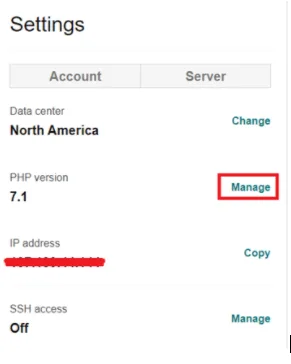
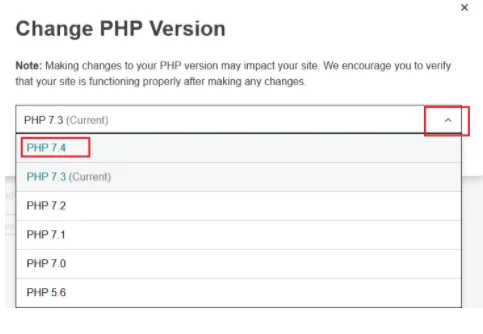
7. Click on drop down arrow and select the current PHP version.
8. Type the update in the text box and click on the option Save Changes.
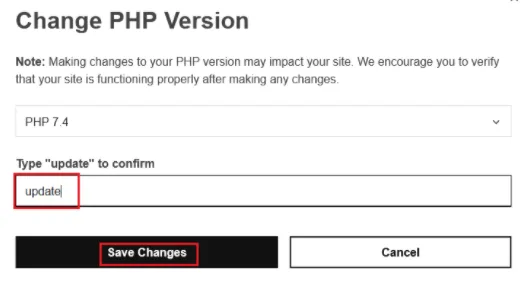
9. Now your PHP version is updated in cPanel.